
Using a separate service account in Microsoft is strongly recommended when refreshing tokens in the Attic app. This prevents the connection from being lost—for example, when users with insufficient permissions attempt to refresh tokens or when the current administrator leaves the organization.
A service account also makes it easier for us to provide consistent support.
See Instructions for creating a service account for more information.
Prerequisites
-
The user (service account or regular account) must be a member of the AdminAgents group.
Refreshing Tokens
-
Go to Partner portal

-
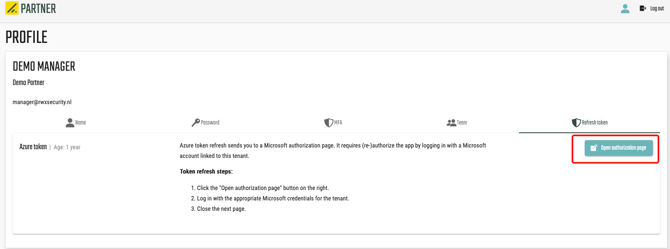
To refresh the tokens, click Open authorization page.
-
Follow the steps shown on the page that opens.
-
Follow the steps, then return to Attic and select Copy device code and Open verification page.
-
It may take a moment before the screen shows that the tokens have been refreshed. You can speed up this process by refreshing the entire page.